
04 Doctor Report
Less “I can’t
remember.”
More to discuss.
Turn your logged information into a Doctor Report PDF. Bring your digestive history into the conversation, without asking memory to do all the work.
For iPhone · Part of the Get Regular app

Keep the history.
Bring your questions.
From your record to your next appointment.
In the rhythm of your day
The record comes with you.
The conversation
stays yours.
- 01
Keep the history.
Bowel entries, meals and symptoms provide a record you can return to before a visit.
What you actually recorded - 02
Review the summary.
Check dates, missing logs and generated interpretations against the original entries.
A summary to inspect - 03
Choose what to share.
Ask your practice how it accepts sensitive information, and bring your own questions alongside it.
Your choice · your conversation
A report organizes recorded observations. It is not a diagnosis, a referral or a replacement for your own account of what changed.
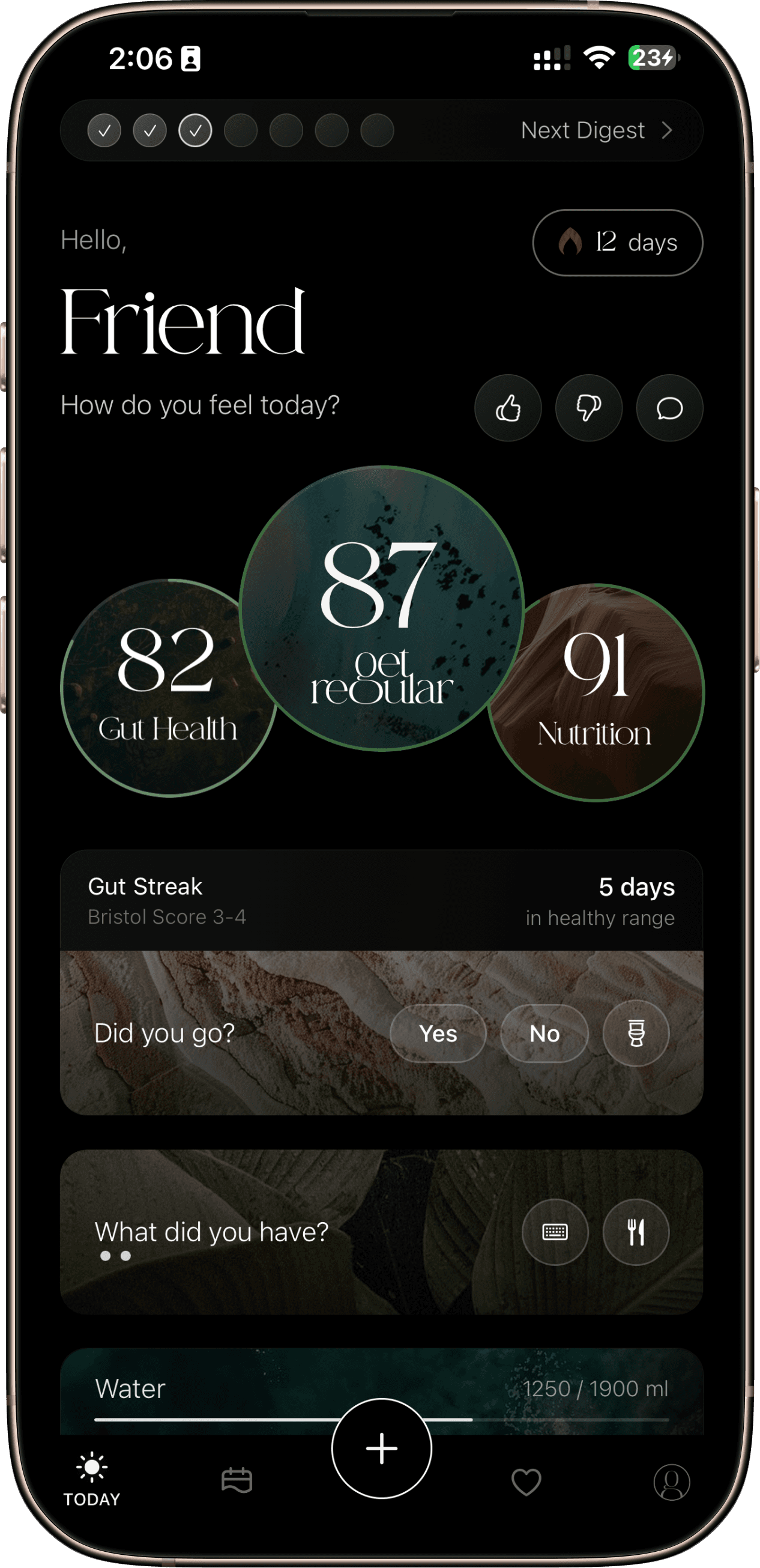 Existing Get Regular product imagery
One app. The whole day.
Give each
observation
some company.
Meals, stool and symptoms live in the same ongoing record. Use your scores, history and AI-assisted insights as ways to look back, rather than a verdict about your health.
See the complete app tourMeet the science behind the storyA closer look
The details,
when you want them.
Doctor Report brings your logged history into a summary you can discuss. The App Store release history describes a PDF export; check your installed version and offer for access, and inspect the contents before sharing.
A summary can open the conversation
It can be difficult to reconstruct a changing bowel routine during a short appointment. The purpose of a report is to organize observations you want to discuss: the period covered, the changes you noticed and the questions you have. It should help you explain the record without pretending to explain the condition.
The App Store version notes describe bowel patterns, Bristol tracking, symptom frequency and food-related summaries. The fields and format you see can depend on your app version. A summary can help you remember what to discuss, while the original entries remain useful context.
Review the record before you share it
Read any generated summary against the original entries. A period with missing logs should not look like a symptom-free period. A food–symptom association should stay labeled as an association. If the summary overlooks something that matters to you, bring that observation separately.
Your account of what changed remains valuable even when an app cannot represent it neatly. NIDDK explains that clinicians consider symptoms, medical and family history, and examination when evaluating IBS, sometimes using tests to check for other problems. A diary covers only part of that assessment.
- Confirm the dates and identify any substantial gaps in the record.
- Check whether the summary matches the symptoms you actually recorded.
- Keep AI-generated interpretations separate from your observations.
- Prepare the questions you want the clinician to address.
What the release notes say the report covers
Use the categories described in the release history as a starting point for reading your own export. Before sharing, check what is included, what is missing and whether the summary represents your record fairly.
| Described category | What to check in your report |
|---|---|
| Bowel patterns and Bristol tracking | Are dates, missing days and stool-form entries represented accurately? |
| Symptom frequency | Does the count distinguish logged symptoms from missing information? |
| Diet quality, nutrient and food–symptom summaries | Are estimates and possible associations labeled clearly? |
| Cycle information | Is it included only when recorded, and can the user see what will be shared? |
Before you start
Good questions.
Is Doctor Report a medical test?
No. It summarizes logged information. It cannot diagnose a condition, replace an examination or confirm that your clinician has reviewed your record.
Where do I find the export?
The App Store release history describes a Doctor Report PDF. Check your installed app version and current offer for access. This webpage explains how to read a summary; it does not generate or store a report.
Should I share everything in a report?
Read the contents first, decide what you are comfortable sharing and ask your practice how it accepts health information. Keep important gaps and uncertainties visible.
Try a starting point
Start with the bowel record
See how consistent stool-form language helps preserve the detail.
Product information & sources
Feature descriptions follow the public listing and version history checked on 20 October 2026. Controls and access can vary by version and offer. Illustrations are labeled; they are not real user records or clinical results.